Notice: The Witty browser extension is currently offline. The information on these pages may not reflect the current status of our services.
  1. Help Center
  2. Witty Works Help Center

How can I set my language preferences?

Easily personalize Witty by selecting your preferred English or German dialect. If you speak German, you can also pick your preferred gender ending for more consistent writing.

Step-by-Step Tutorial

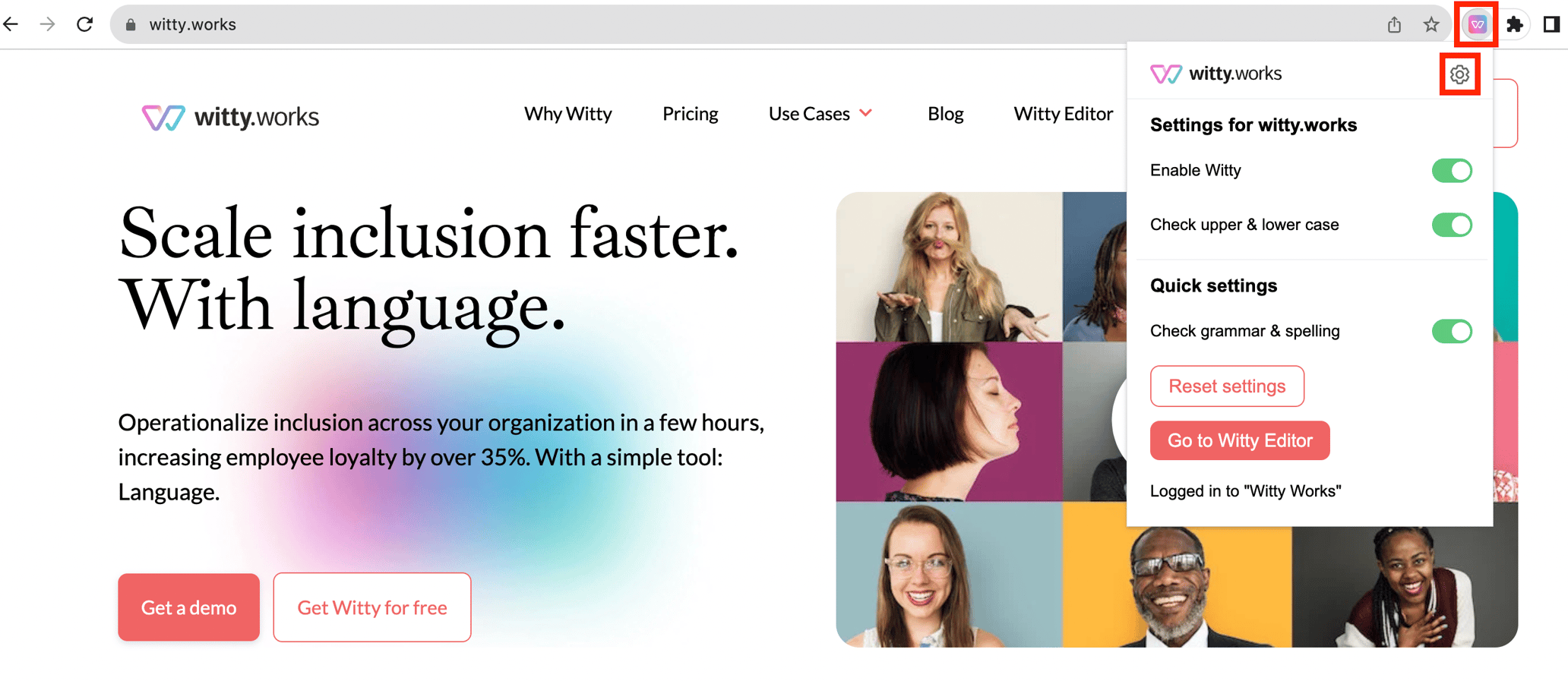
  1. To access your dashboard, simply click on the cogwheel icon in your browser plugin or enter the URL directly into your browser.Screenshot 2023-09-21 at 12.33.36
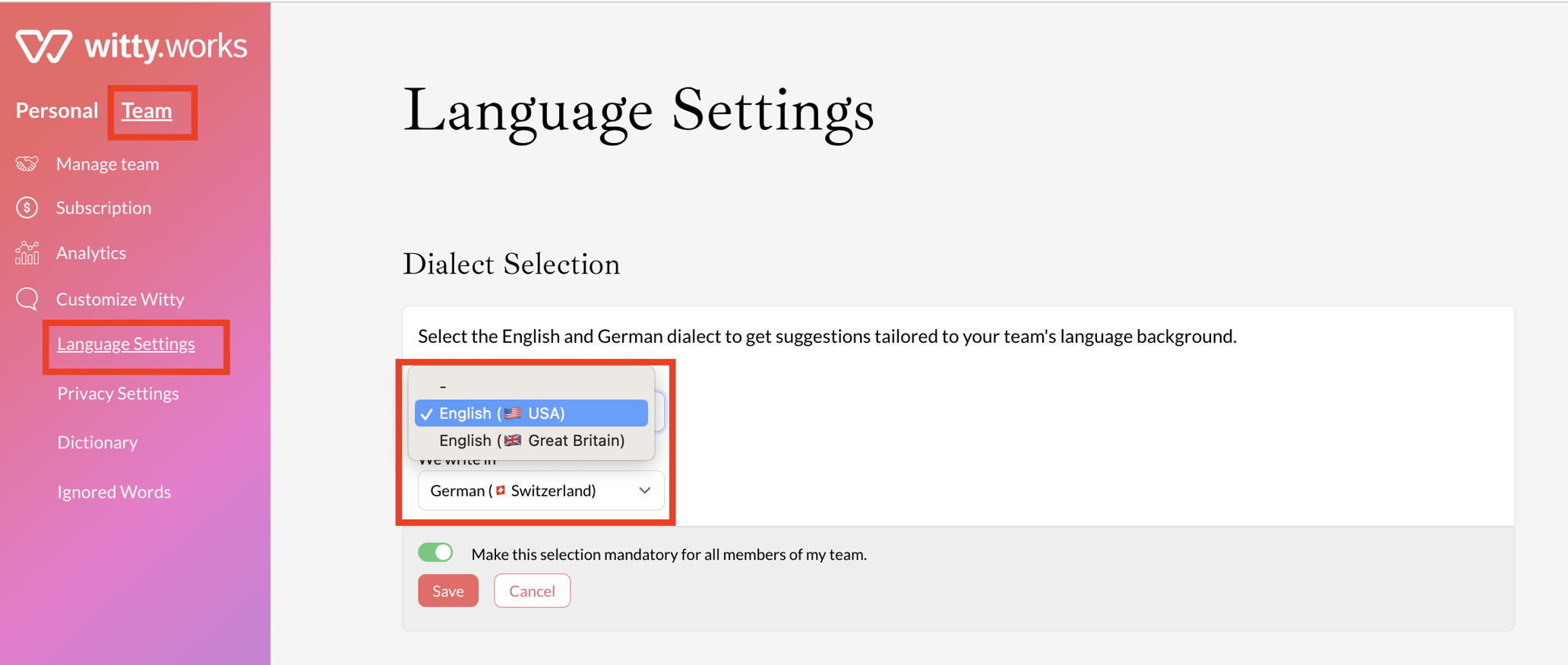
  2. Once in the dashboard, navigate to the language settings.
  3. Choose your preferred English dialect (British or American) and specify your preferred German dialect.
    Screenshot 2023-09-21 at 12.34.15
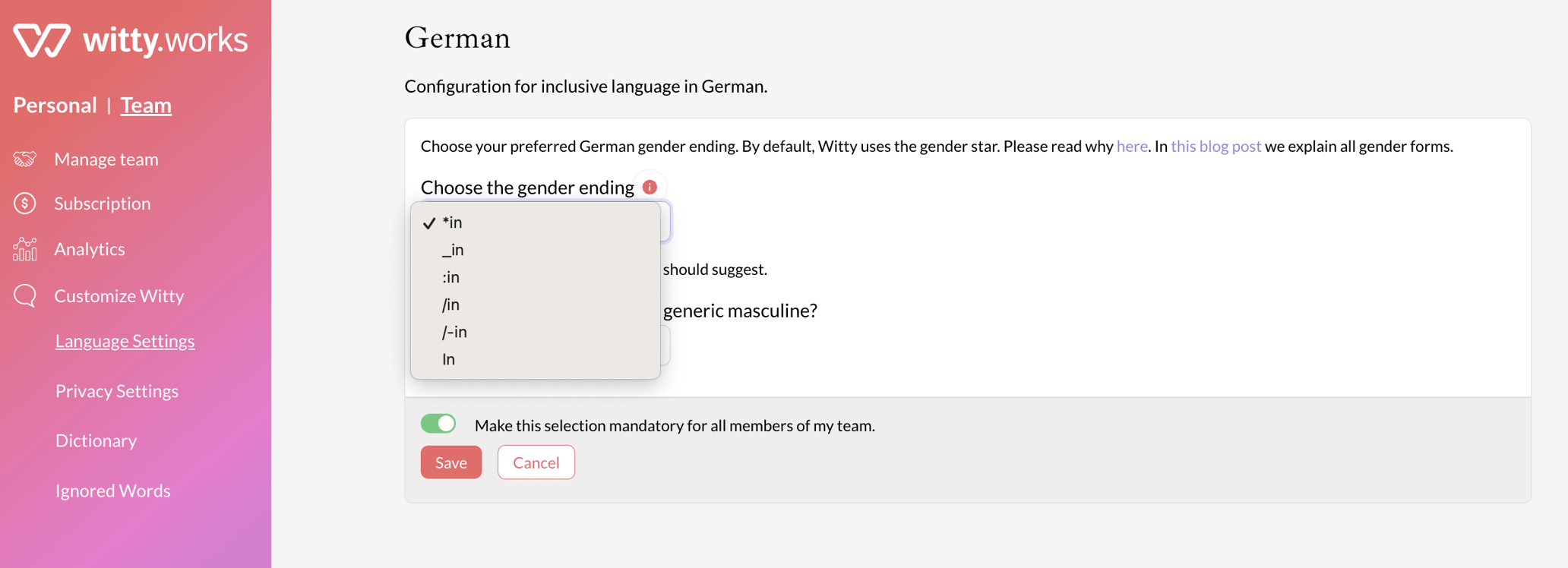
  4. If you speak German, you can also select your preferred gender ending for more consistent writing.
    Screenshot 2023-09-21 at 12.34.31

Which gender endings can you choose?

Most options are separator styles that combine the female and male form in one word: the Genderstar (Expert*in), colon (Expert:in), gender gap (Expert_in), slash (Expert/in, Expert/-in), Binnen-I (ExpertIn) and parentheses (Expert(in), Expert(-in)).

You can also choose the Inklusivum, a genuinely gender-neutral grammar rather than a separator: instead of Expert*in it writes de Expertere, with its own articles and endings such as einey and ens. The Verein für geschlechtsneutrales Deutsch publishes a simplified overview of the forms. When the Inklusivum is selected, Witty marks its suggestions with the Inklusivum logo so they are easy to tell apart from separator-based endings.

Video Tutorial

For a step-by-step guide, watch our brief video tutorial on setting your language preferences.